¶ Purpose
The Gate Entry Inward screen allows the user to add arrival information, party details, and invoice details at the security gate of the company or factory.
¶ Prerequisites
The following transactions must be completed before the Gate Entry Inward transaction.
- The Prefix Combination Setting needs to be updated.
- The Supplier master needs to be defined.
- The Purchase Order transaction must be completed if applicable.
- The Commit ASN transaction must be completed for Supplier or Subcon processes using the Vendor Portal system.
- If Load Type is Empty, then above listed prerequisites are not required.
- Access rights must be assigned to the responsible user for the Gate Entry Inward transaction.
¶ Gate Entry Inward
The Gate Entry Inward screen allows the user to enter the arrival information, party details and invoice details at the security gate of the company or factory.
Navigation: Main - Menu → Transactions → Inventory → Inventory Entries → Inventory → Show List → Security → Gate Entry Inward
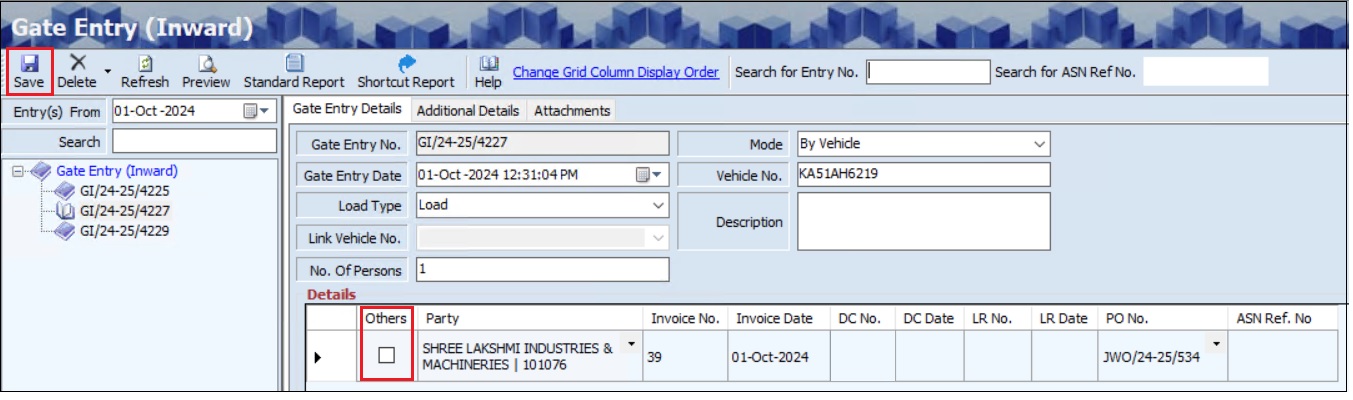
- The user can search for existing transactions based on the Entry(s) From (Date), Entry Number and ASN Reference Number.
- The user must select the Entry From (Date) from the dropdown calendar.
- The Gate Entry Inward screen allows the user to enter details in three tabs as mentioned below.
- Gate Entry Details
- Additional Details
- Attachments
- The Gate Entry Details section displays the details such as Gate Entry Number and Gate Entry Date.
- The user must select the Load Type and Mode from the dropdown list.
- The user must enter the Vehicle No., if the Mode is selected as By Vehicle.
- The user must enter the No. of Persons and Description details.
- If the user selects the Load Type as Load, the Details section will appear.
- The user must select the appropriate Party from the dropdown list.
- The user can select the Others checkbox to manually enter a party not available in the dropdown list.
- The user must enter either the Invoice No. and Invoice Date or DC No. and DC Date.
- The user can enter the LR No. and LR Date, if required.
- Once the user selects a party from the dropdown list, the pending purchase orders (PO) will automatically appear in the PO field.
- The user can select an appropriate PO from the dropdown list.
- If ASN is linked with the Vendor Portal System, the ASN Reference Number will appear automatically.
- The Attachment section allows the user to upload attachments if required.
- The Additional Details section allows the user to add additional details if required.
- Click Save, the following message will appear, and the Gate Entry number will appear on the left panel of the screen.
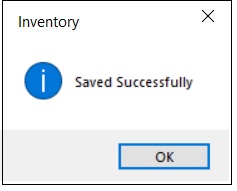
- Click OK.
¶ View or Print Gate Entry Inward.
The Preview option allows the user to print or view the existing or added the Gate Entry Inward details.
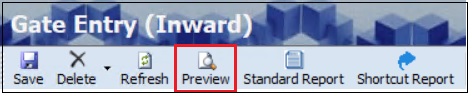
- The user must select the Entry(s) From (Date) the dropdown list.
- The user must select the appropriate Gate Entry (Inward) Number from the left panel of the screen.
- Click Preview, the user can view details in Excel format, if required.
¶ Delete Option
The Delete option allows the user to delete the added or existing transaction details if further or subsequent transactions are not executed.
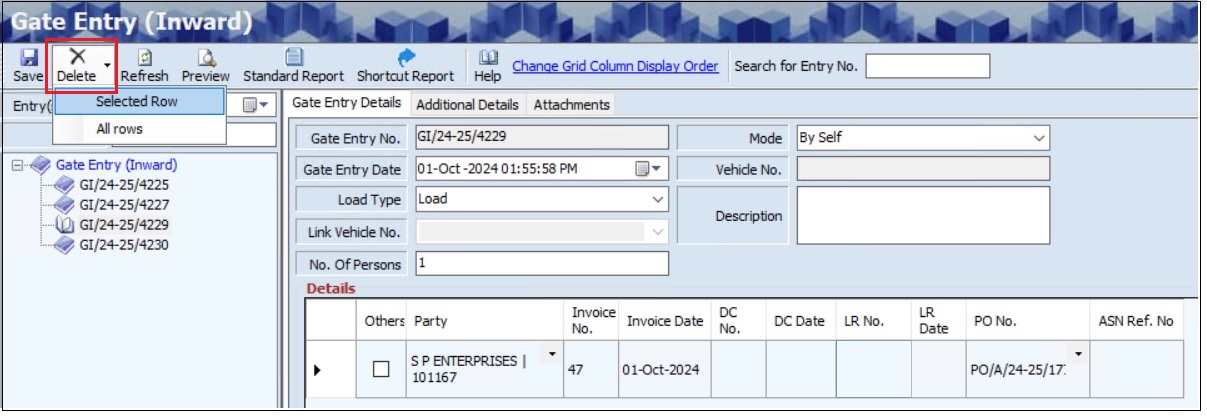
- The user must select the Entry(s) From (Date) the dropdown list.
- The user must select the Gate Entry (Inward) Number from the left panel of the screen.
- Click Delete, the system will allow the user to select the Selected Row or All Rows option, and the following message will appear.
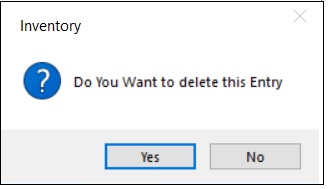
- Click Yes, the following message will appear.
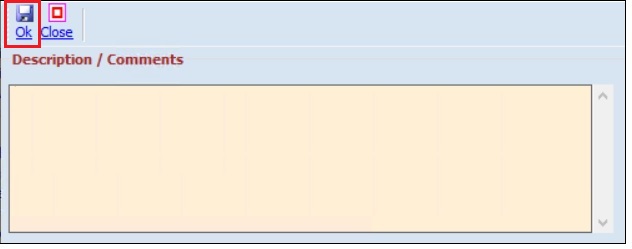
- The user must enter the appropriate Description or Comments.
- Click OK.
¶ Functional Use Cases
| Sl. No. | Use Case | Business scenario | Functional outcome in ERP |
|---|---|---|---|
| 1 | Record gate entry inward | The security gate receives goods from suppliers or subcontractors. | The system captures arrival details, party information, and invoice or delivery challan (DC) information at the gate. |
| 2 | Preload pending purchase orders | The user selects a supplier or ASN-linked party during gate entry. | The ERP automatically displays pending purchase orders or ASN reference numbers for quick selection. |
| 3 | Attach supporting documents | The user needs to record additional evidence, such as an invoice, LR, or delivery documents. | The system allows uploading attachments and extra details, which it stores with the gate entry record. |
| 4 | View or print entry records | The user wants to review or share details of a recorded gate entry inward. | The system provides preview options and Excel-format export for gate entry inspection or printing. |
| 5 | Delete a gate entry inward | The recorded gate entry inward is wrong or needs correction before further processing. | The system allows deletion of the entry or specific line, while capturing user comments, before downstream transactions occur. |
¶ Use Case Scenario
- Click here for a detailed use case scenario.
¶ Transaction Checklist
| Step | Checklist Item | Details / Purpose |
|---|---|---|
| 1 | Verify Gate Entry details | Verify Gate Entry Number (auto-generated) and Gate Entry Date. |
| 2 | Verify load type and mode | Verify Load/Empty and Mode (e.g., By Vehicle), vehicle number if applicable. |
| 3 | Verify persons and descriptions | Verify the number of persons and description details for the arrival. |
| 4 | Verify party details | Verify party details or mark “Others” to manually enter details. |
| 5 | Verify invoice or DC details | Verify Invoice No. & Date or DC No. & Date; optional LR No. & Date. |
| 6 | Link to PO and ASN | Verify the selected pending PO or ASN Reference Number. |
| 7 | Verify attached supporting documents | Verify uploaded invoices, delivery challans, or other relevant files in the Attachments tab. |
| 8 | Verify additional information | Verify any extra details added in the “Additional Details” tab if required. |